
Everydo
Android · iOS coming soon
Bill reminders, chores and routines with a due window, not just a due date.
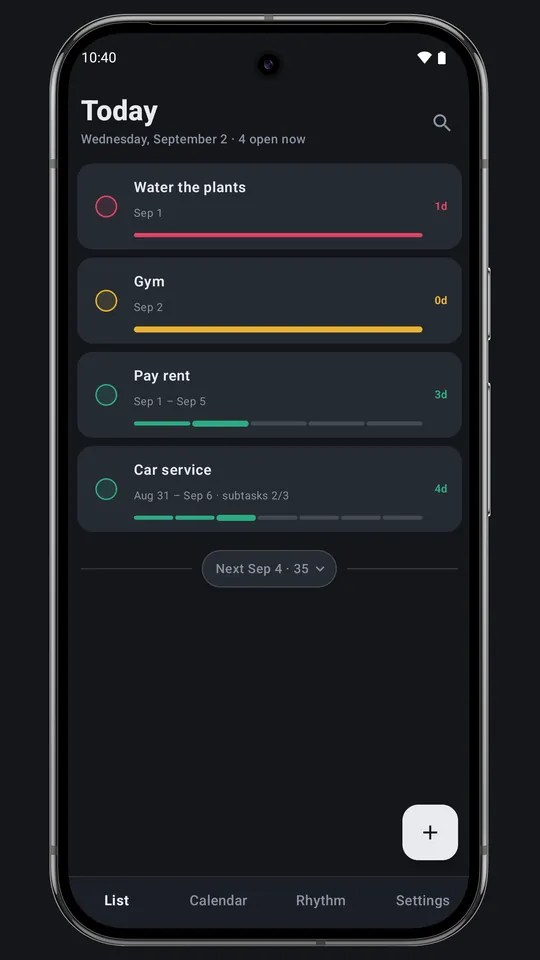
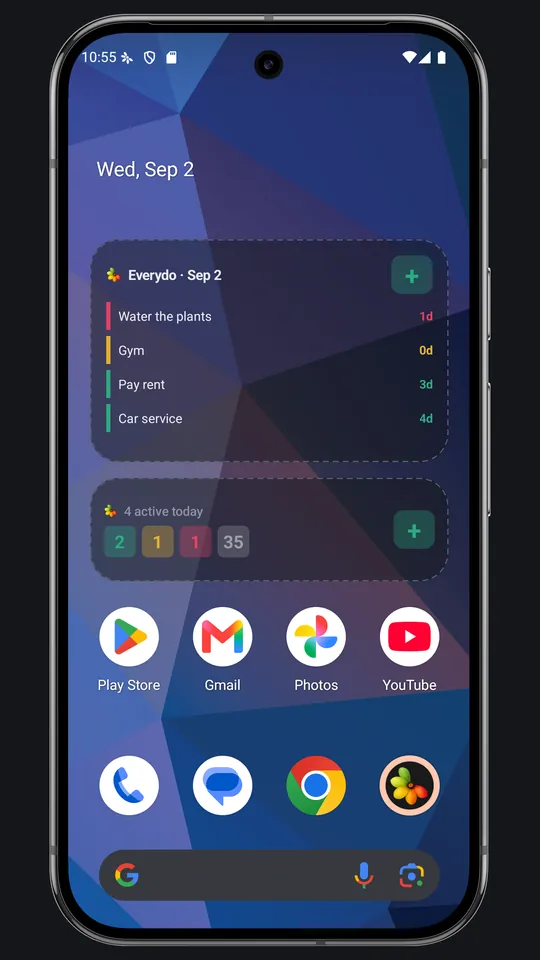
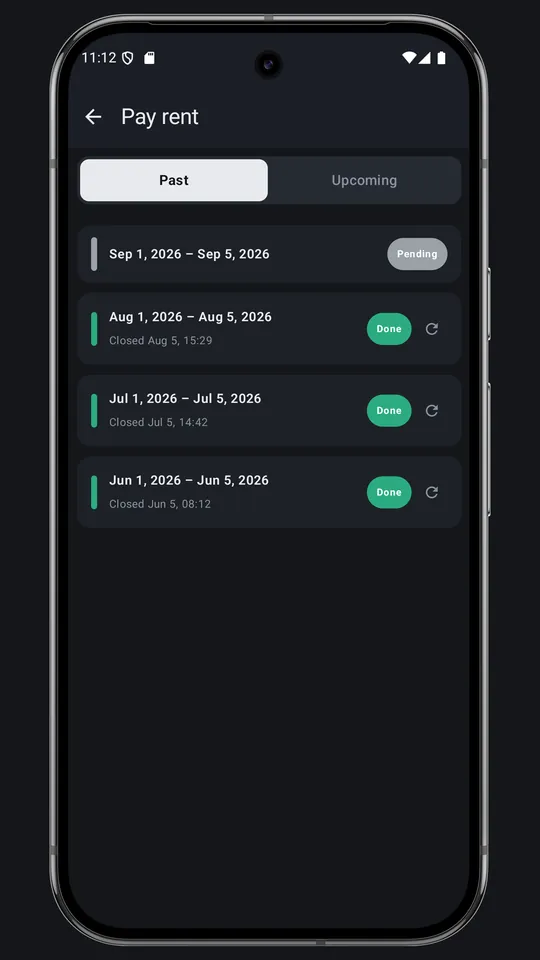
Rent is due between the 1st and the 5th. The bins go out Tuesday or Wednesday. Most reminder apps still make you pick one date. In Everydo a task appears when its window opens and stays on the list until you tick it off.

01Screenshots
02Features
- Schedules that match real life
- Daily, weekly, a set of weekdays, monthly from day X to day Y, every N days, yearly, or the first Monday of every month.
- Nothing gets quietly dropped
- A missed task stays red until you close it as Done late or Skipped, and both go into the task's timeline.
- The whole month at a glance
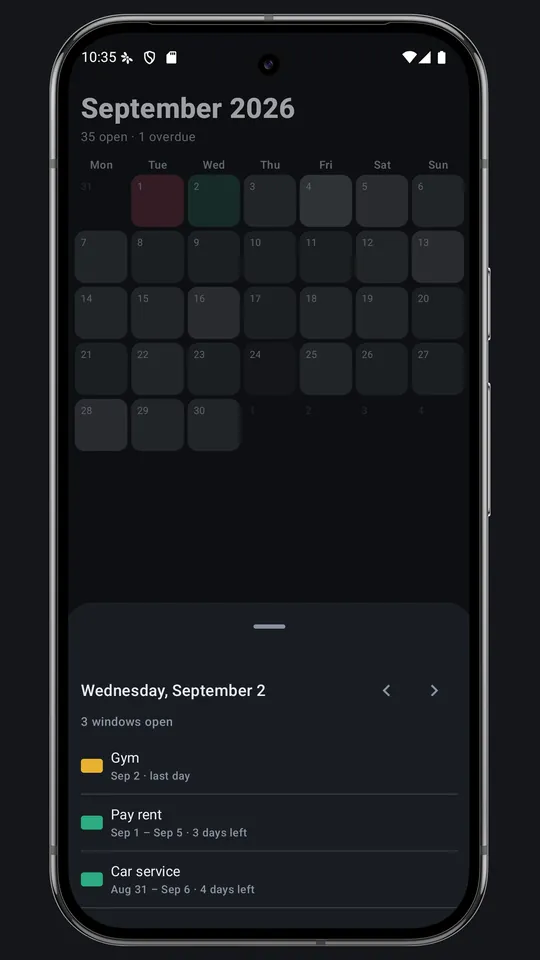
- The calendar shades days by how many windows are open and turns a day red once something on it is overdue.
- Spot the pattern
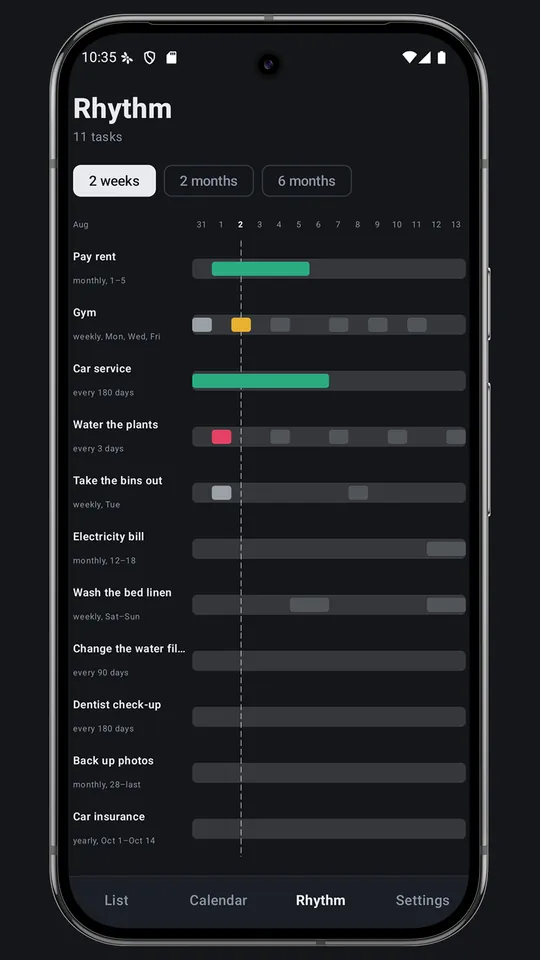
- The Rhythm tab gives every task a row over two weeks, two months or six months.
- Reminders tied to the window
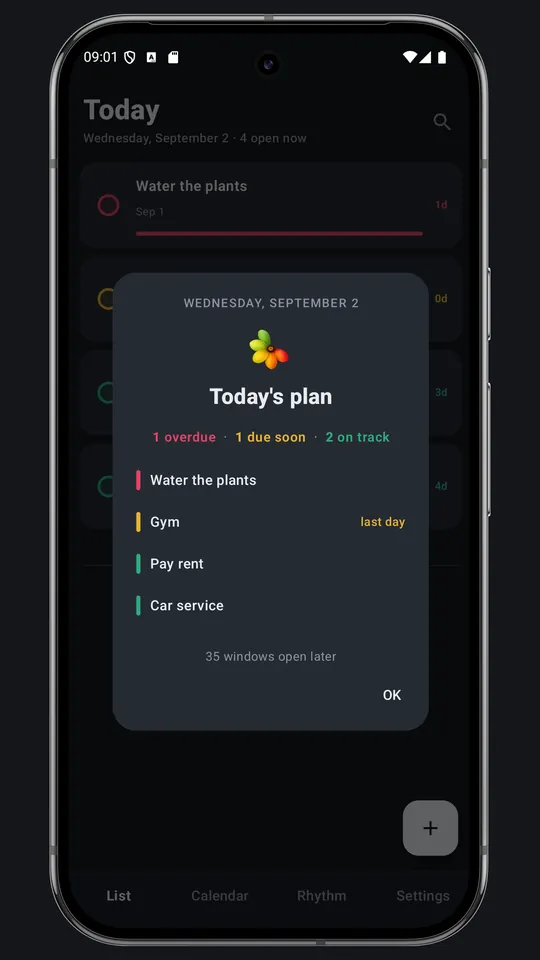
- On the first day, the last day or every day the window is open, with a Mark done button right in the notification.
- Your data stays on your phone
- No account and no cloud sync. Export a backup to a JSON file whenever you want.
03FAQ
Is Everydo free?
Yes. The free version shows one banner at the bottom of the list. A one-time purchase removes it; nothing else changes.
Do I need an account?
No. There is no sign-in and no cloud sync. Your tasks are stored on your phone.
Can I move my tasks to a new phone?
Yes. Export a full backup to a JSON file and restore it on the other phone.
Does it work with my calendar?
Everydo reads the calendars already on your phone (Google, Outlook, Samsung or local) and offers their events. You pick the ones worth tracking. Nothing is written back to your calendar.
Is there an iOS version?
Not yet. The iPhone version is coming to the App Store soon.